
Table management
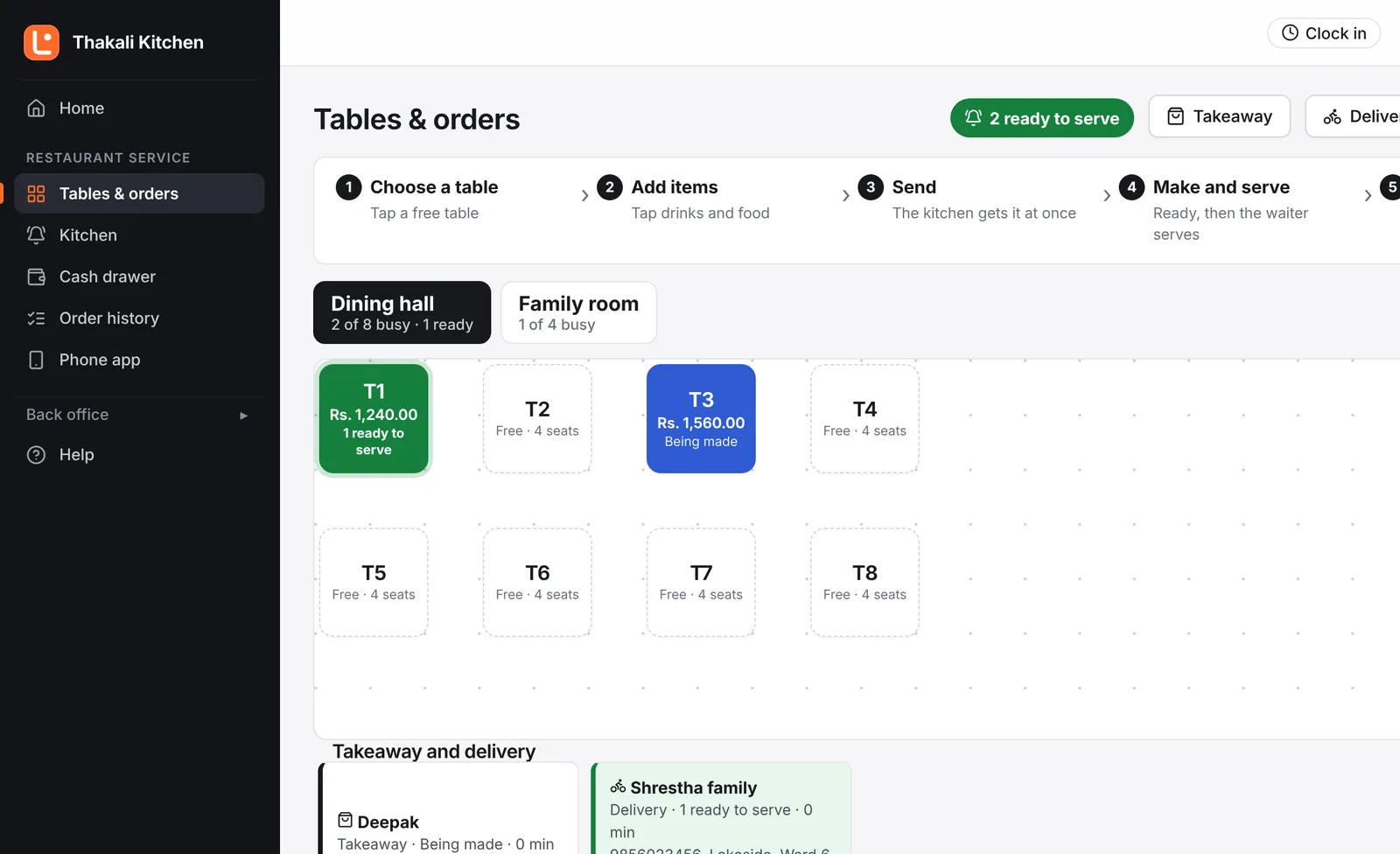
See which tables are free, waiting for food, ready to serve or waiting for the bill. Move, join and split tables.
Lishnu POS for Restaurants
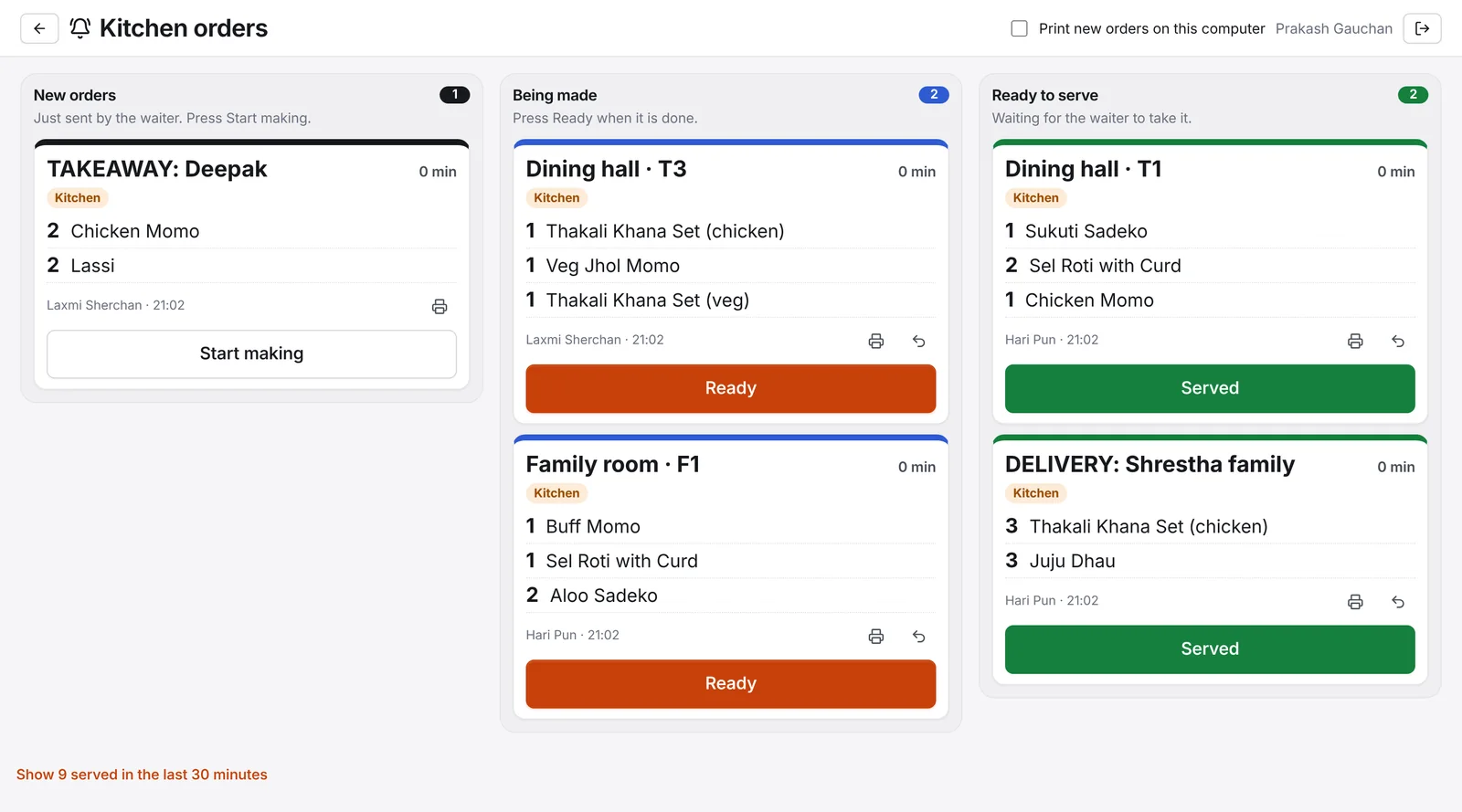
Dine-in, takeaway and delivery orders all reach the kitchen the same way. The kitchen knows what to cook next, waiters know what is ready, and the cashier bills in seconds.
Made for restaurants
A dining hall with tables, menu groups that go to the kitchen, and plates as a unit, waiting for your menu.
See which tables are free, waiting for food, ready to serve or waiting for the bill. Move, join and split tables.
Orders appear the moment they are sent, oldest first, with how long each has waited. Print kitchen tickets too if you like.
Start an order with the customer's name. The ticket says TAKEAWAY, and no service charge is added.
Save the phone number and address with the order. Your team sees every delivery waiting and ready to go.
Groups, items, sizes and prices. Choose which items go to the kitchen and which to a drinks counter.
VAT bills, service charge, discounts with approval, split bills, and cash, card or QR payments.
Stock goes down with every plate sold. Record what you buy and see what is running low.
Waiters, kitchen, cashiers and managers each with their own PIN and screens, plus attendance and salary.
Sales by dish, waiter and hour, expenses and profit, and the books your accountant needs.
Takeaway and delivery
Press Takeaway or Delivery, enter the name, add the food. It goes to the kitchen like any table order and stays on screen until it is paid.
At the table
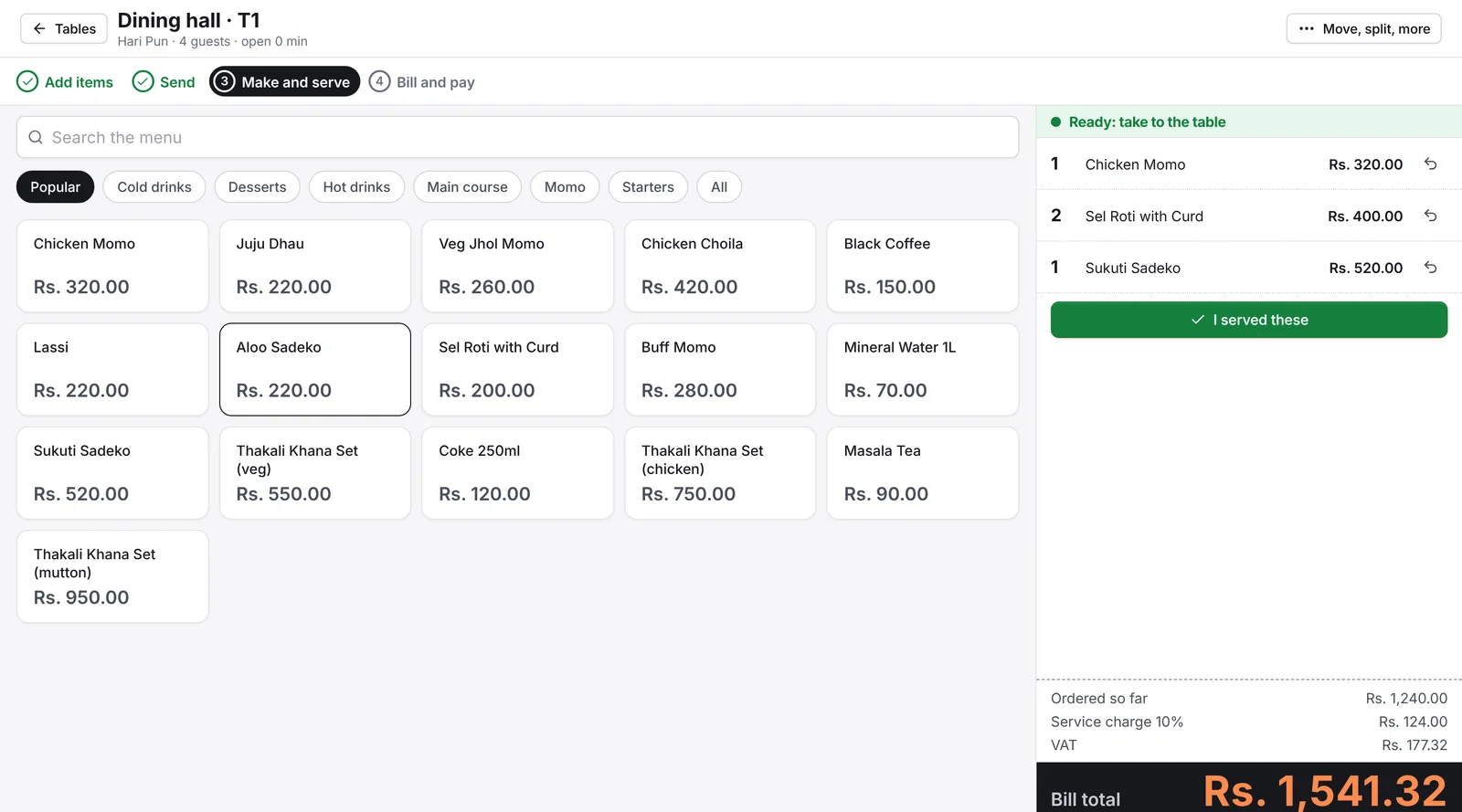
Add items, send, make and serve, bill and pay. The screen always shows which step the table is on, so new staff learn it in one shift.
Questions
Yes. Each menu group goes to the kitchen or to a drinks counter, and each gets its own screen and ticket. By default everything goes to the kitchen.
Yes. Connect a thermal printer in the kitchen and tickets print as orders arrive. You can use a screen, paper, or both.
No. Service charge is added only to orders served at a table, and you can switch it off for a whole area too.
Yes. Each area can add a percentage to the menu price, for example 10% in a family room. The bill shows the area price.
We add your menu and tables with you and show your team how it works.