
A kitchen screen that replaces the order slip
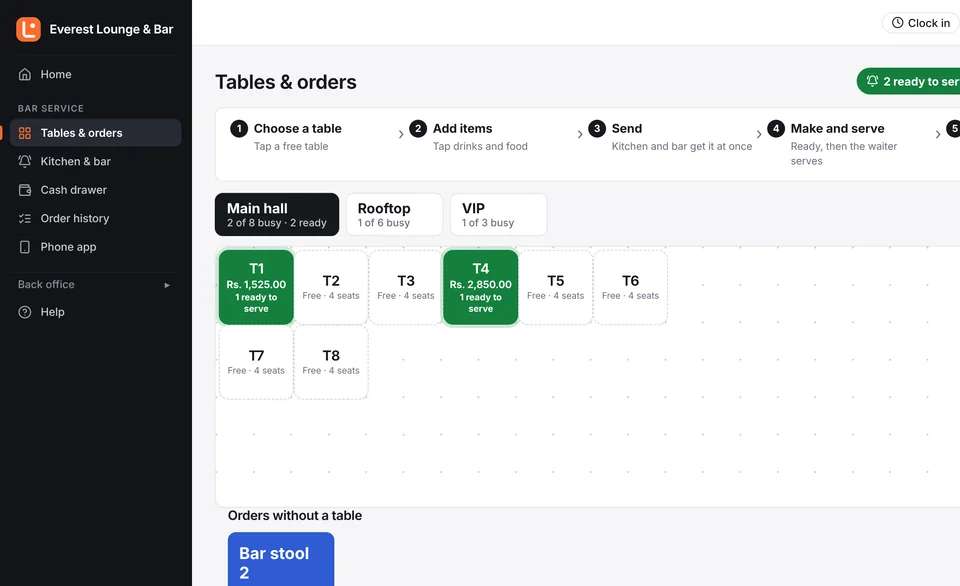
New, being made, ready to serve. Oldest first, with how long each order has waited, and a sound when a new one arrives.
Waiters order on their phones. The kitchen sees it the moment it is sent. The bill prints with VAT and service charge in seconds, and the stock, staff and books keep themselves in order.
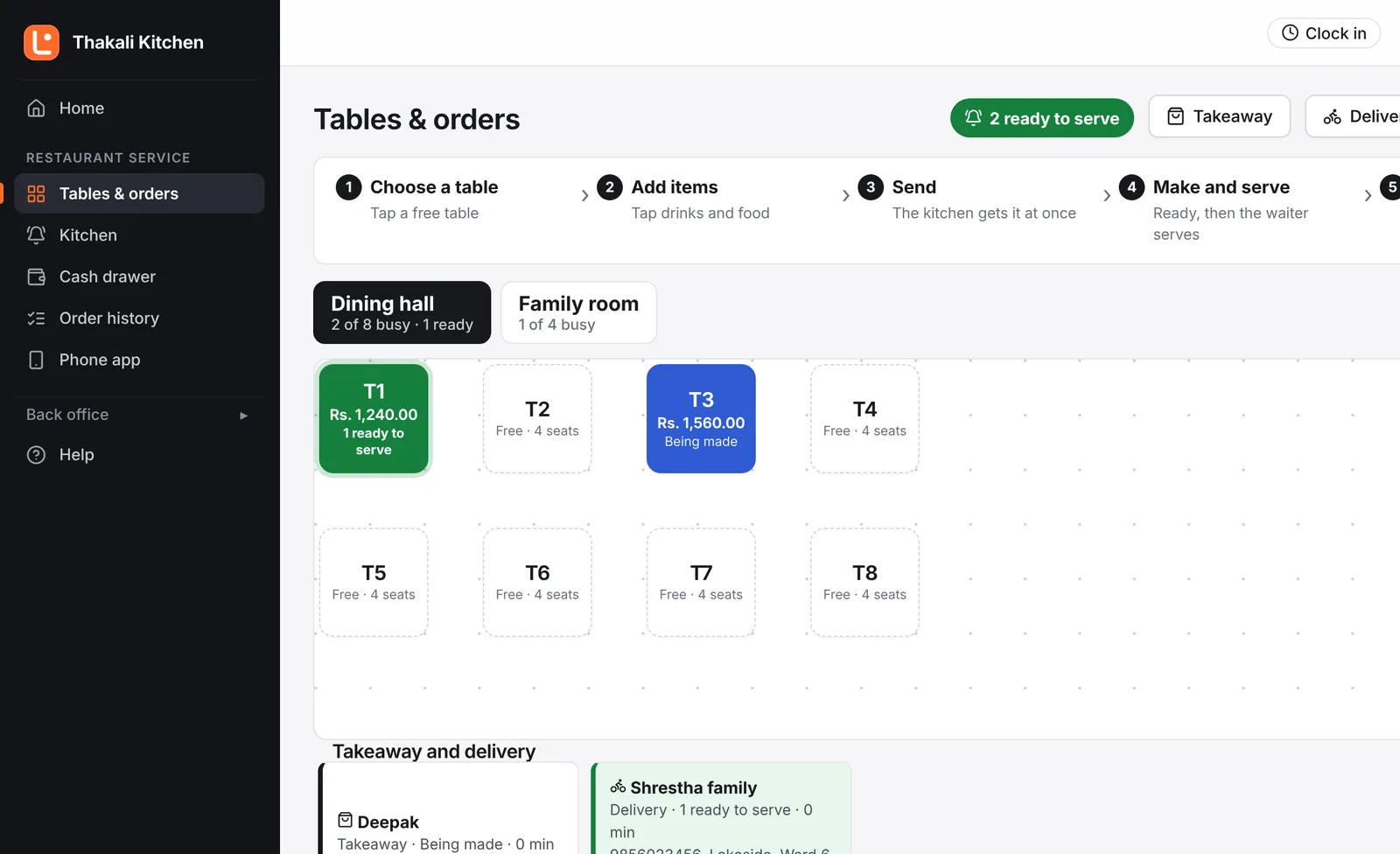
Made for every kind of night service
Momo houses, rooftop bars, Thakali kitchens, lounges, cafés, pubs, hotel restaurants and bakeries.
Why it exists
Lost order slips, cancelled drinks that were already poured, and a drawer that never matches the bills. Lishnu POS closes every one of those leaks without slowing your staff down.
Two editions, one system
Choose Restaurant or Bar when we open your account. You only see the screens, menus and words that fit your business, and nothing you will never use.
Dine-in, takeaway and delivery reach the kitchen the same way. The kitchen knows what to cook next; the waiter knows what is ready.
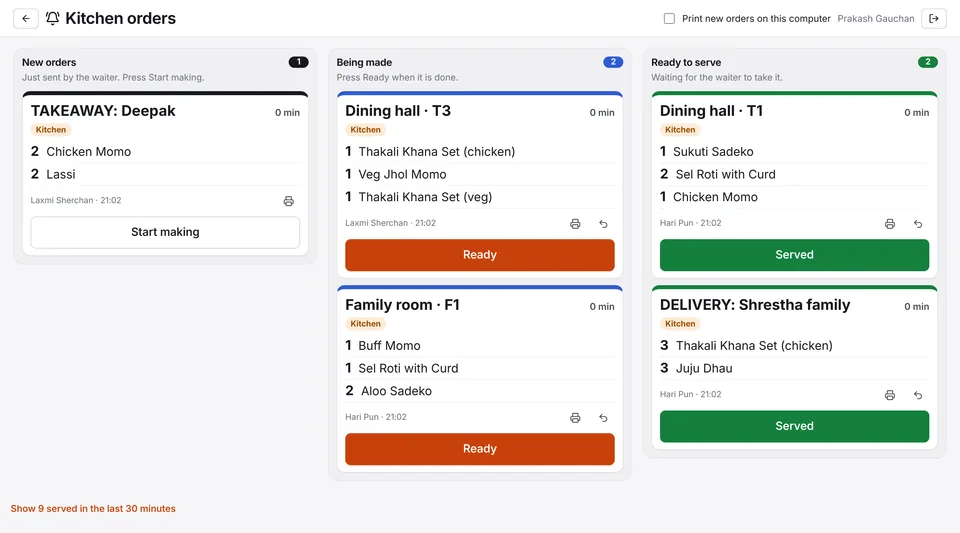
Sell by the peg or the bottle from one stock, keep tabs open all night, and see exactly where every bottle went.
How an order moves
Every order follows the same clear path, so anyone on your team can see where it is, at any moment.
Tap the table, tap the dishes and drinks. Sizes, notes like "no ice", and the number of guests take a second each.
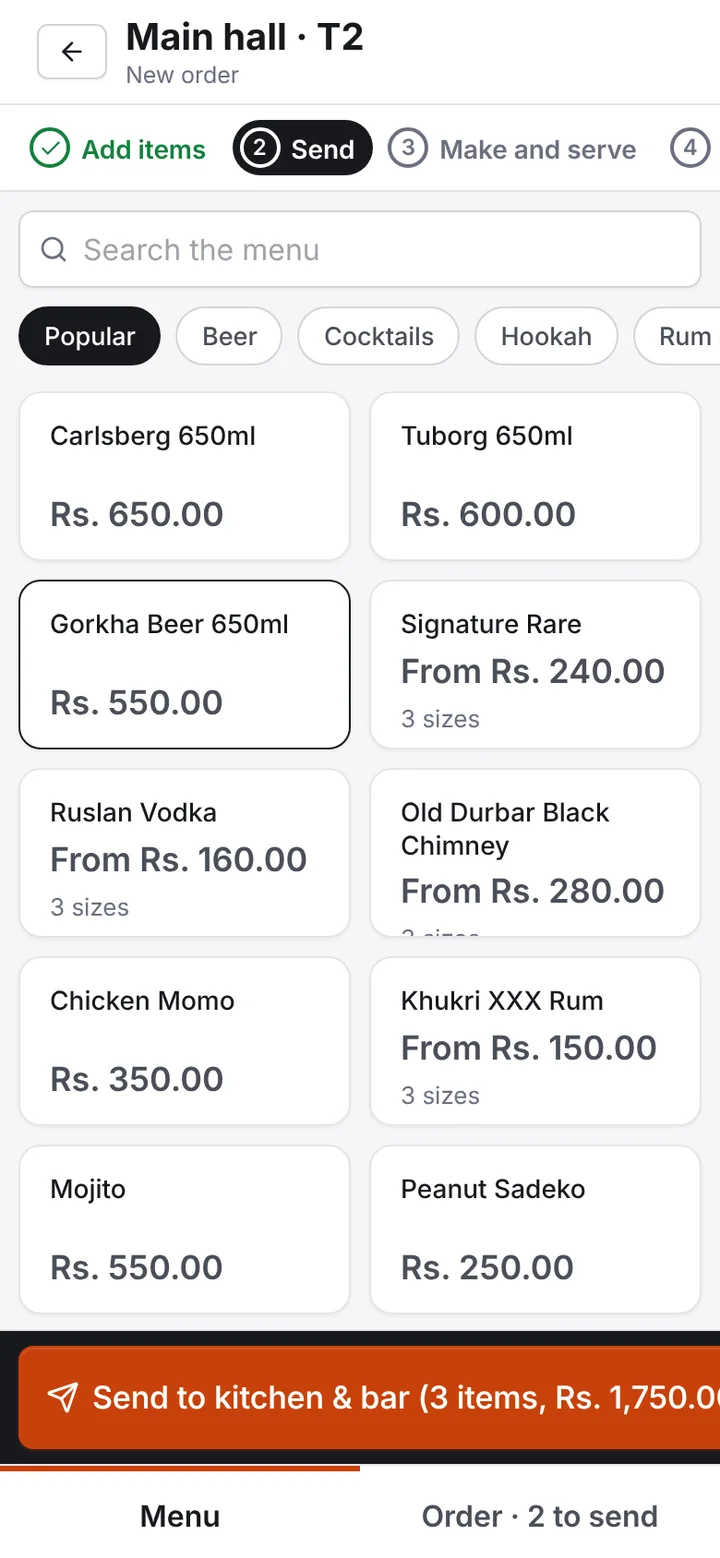
Food goes to the kitchen, drinks to the bar, on screen and on paper if you like. The table shows exactly what was sent and when.
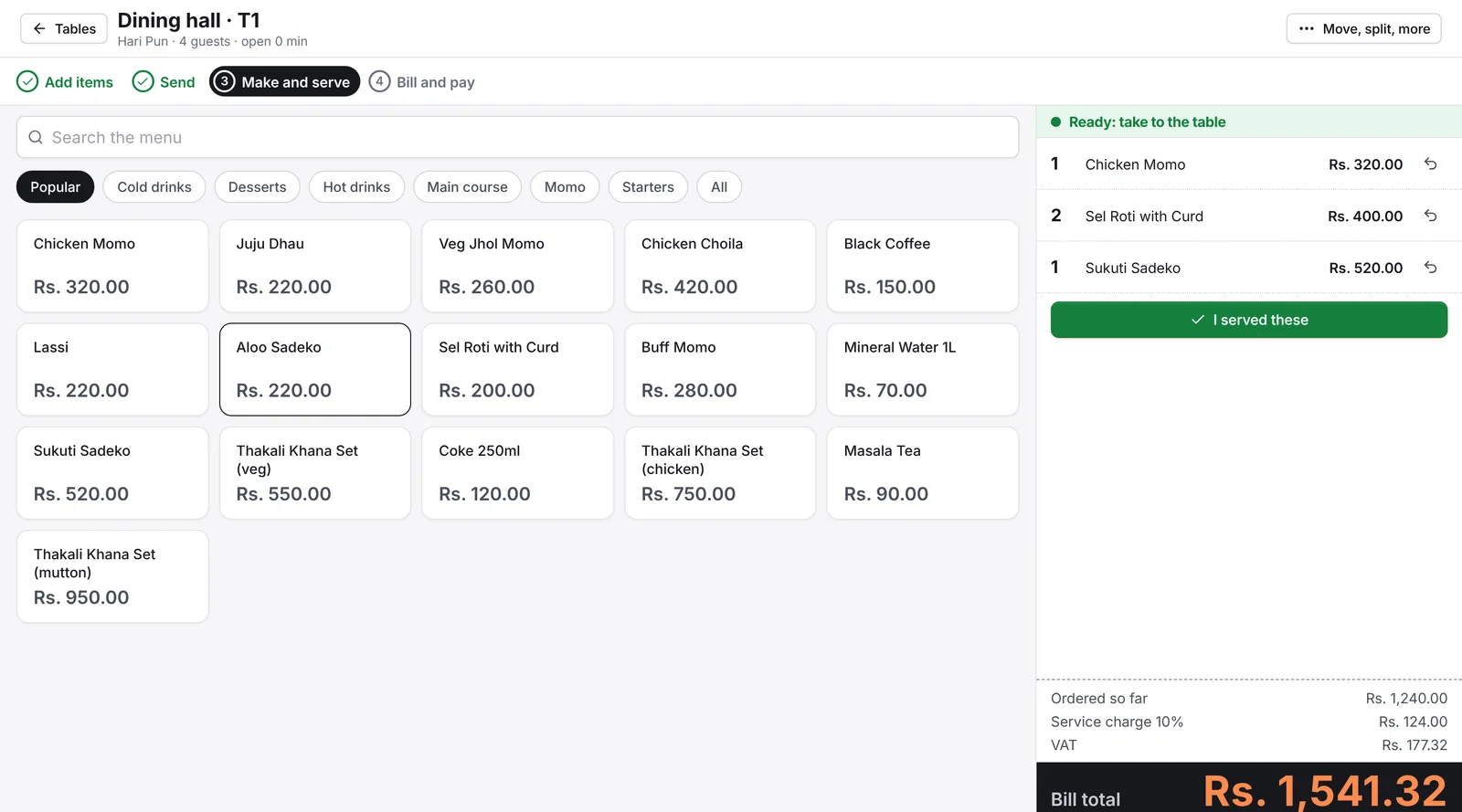
The cook taps Start, then Ready. The table turns green on every screen and the waiter's phone, so food never waits on the pass.
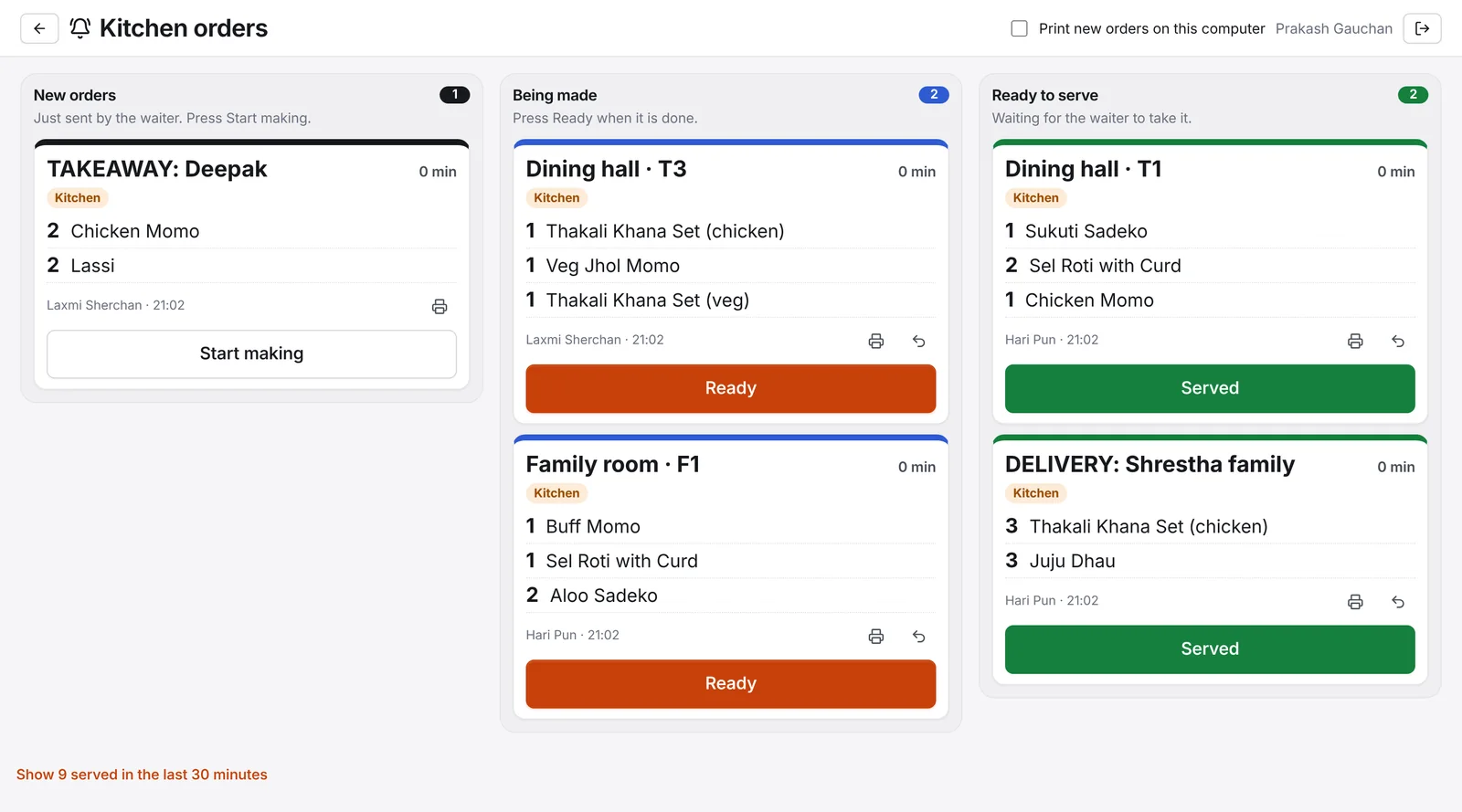
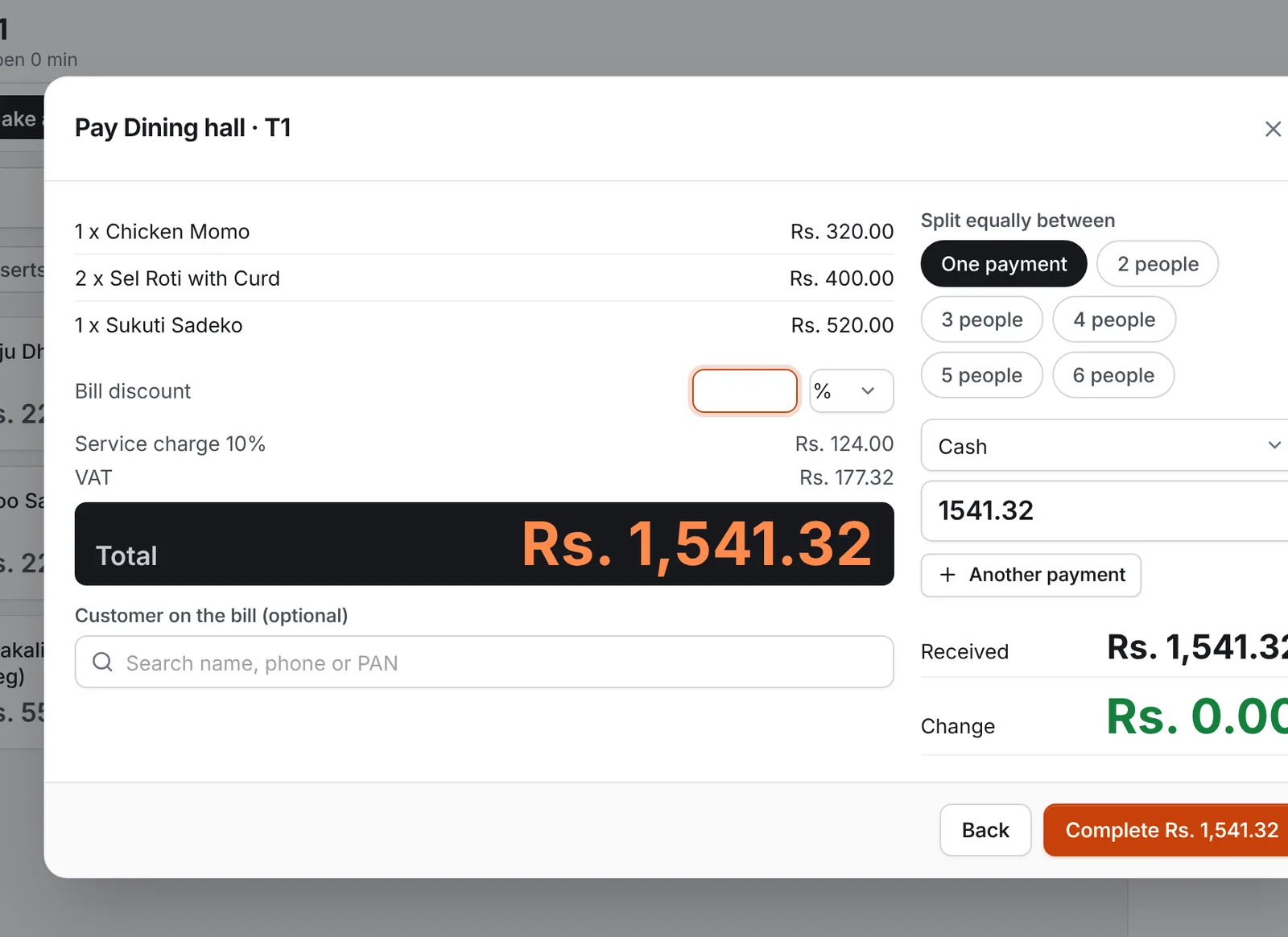
Print the bill with VAT and service charge, split it between guests, and take cash, card or QR. The table is free again.
Everything included
From the first order of the day to the accounts at the end of the month, every number comes from the same place, so it always agrees.
New, being made, ready to serve. Oldest first, with how long each order has waited, and a sound when a new one arrives.
Service charge, VAT, discounts and split bills, worked out the same way every time.
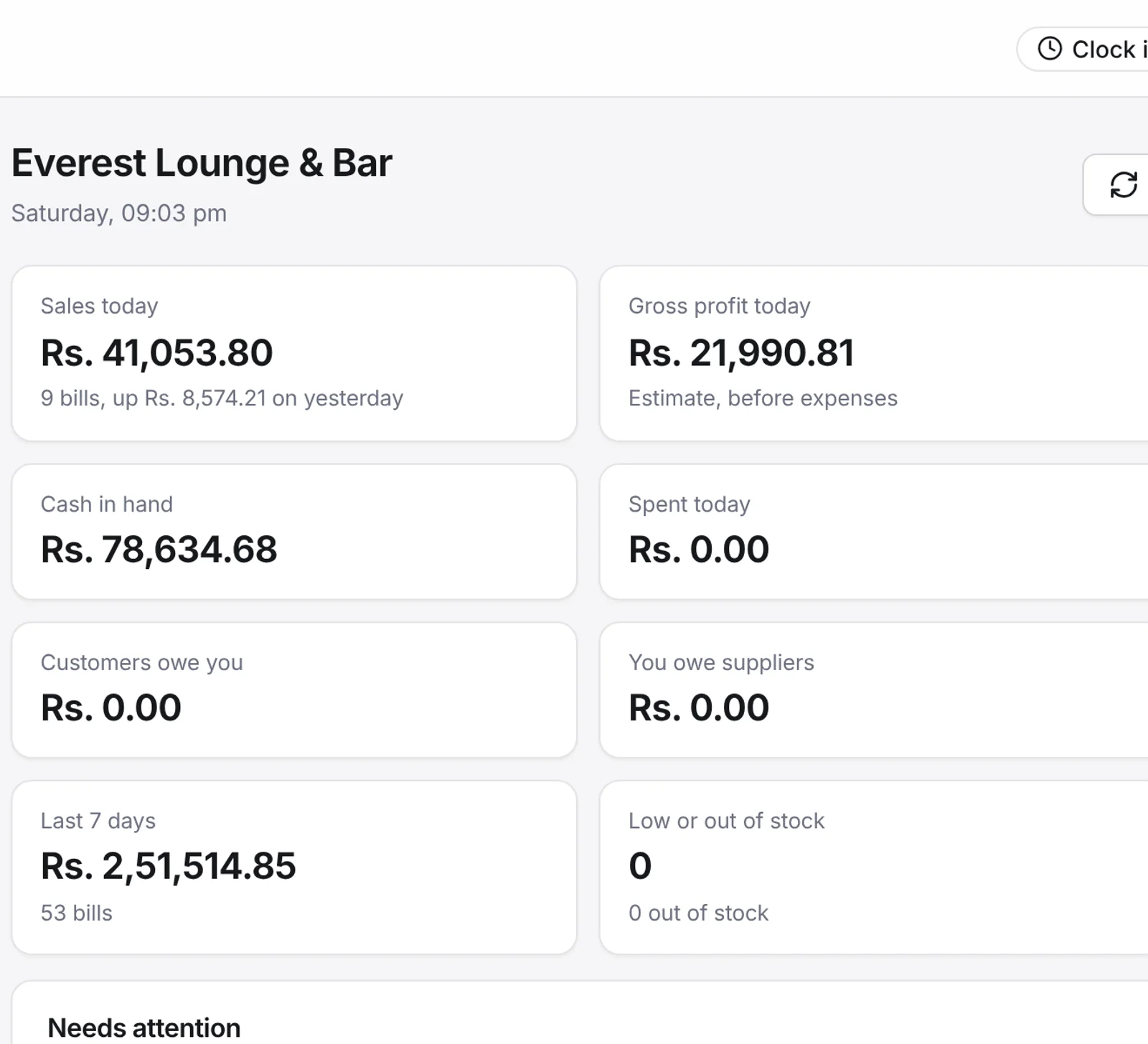
Sales, cash and profit as they happen, on your own phone, from anywhere.
Every bill takes the stock it used. Pegs and bottles come from one bottle stock in millilitres.
Waiter, kitchen, cashier and manager, each with a 4-digit PIN.
Record what you buy and what you spend; the cash book, ledgers, profit and loss and VAT figures follow by themselves.
Made in Kathmandu
Not a foreign system with Nepal added later. Local rules, local payments and the way service runs here were the starting point.
For waiters
Install the free app on Android, or add it to the home screen on an iPhone. No app store, and no new devices to buy.
For owners
Sales, profit, cash in the drawer and stock, live on your own phone. Every void and discount shows who did it and who approved it.
Before and after
Pricing
Pick the plan for your business, and change it whenever you need. Your data always stays.
Questions
No. Lishnu POS runs in the web browser on the computer you have, and waiters use their own Android phones or iPhones. For printed bills and kitchen tickets, a standard 80 mm thermal printer works.
Usually a day. We create your account, enter your menu and tables with you, set up the printers and phones, and show your staff the four steps.
You choose a plan and keep going. If you don't, your account stops taking new orders but nothing is deleted: you can still sign in, see and export everything.
Free trial
We set up your menu and tables with you. If it is not right for you, you pay nothing.